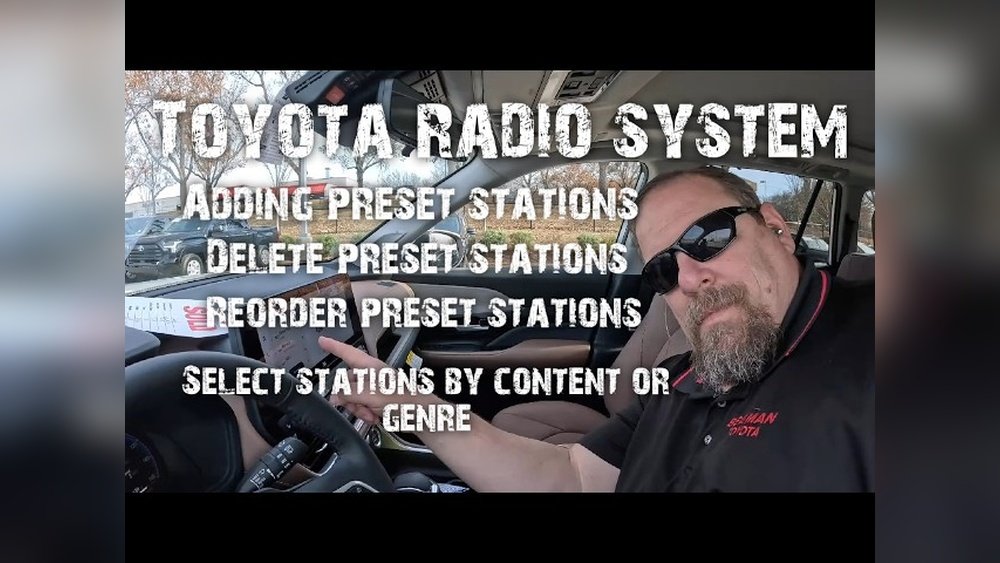
How to Delete Preset Radio Stations Toyota: Quick Guide
If you drive a Toyota, you probably use the radio presets every day. These preset buttons make it easy to jump to your favorite stations with a single touch. But what if your tastes change, or you move to a different city and want to clear out the old stations?
Many Toyota owners find deleting preset radio stations confusing, especially with the newer touch-screen systems.
This guide is designed for beginners. You’ll learn step-by-step how to delete preset radio stations on most Toyota vehicles, whether you have a classic button system or a modern multimedia touch display. We’ll also cover common mistakes, practical tips, and answer the top questions people have.
Understanding Toyota Preset Radio Systems
Toyota vehicles use two main types of radio systems:
- Physical button radios (older models and base trims)
- Touchscreen multimedia systems (Entune, Audio Plus, Premium Audio, etc.)
Knowing which system you have is important, because the process is different. Most Toyotas made after 2014 use touchscreens, but some models still have button-based radios.
Why Delete Preset Stations?
There are several reasons you might want to delete presets:
- You moved to a new area and old stations no longer work
- You want to organize your list and remove unused stations
- You’re selling or trading in your car and want to clear personal data
Deleting unused presets keeps your radio neat and makes it faster to find your favorite music or news.
How To Delete Preset Radio Stations (physical Button Radios)
Many Toyota vehicles from the 1990s to the early 2010s use a row of numbered buttons (1–6 or 1–12) to store presets.
Steps To Delete Or Replace A Preset
With these radios, you can’t technically “delete” a preset. Instead, you overwrite it with a new station or leave it unused.
- Turn on the radio and set it to FM or AM.
- Tune to a station you want to save (or a blank frequency).
- Press and hold the preset button (1–6 or 1–12) you want to delete for about two seconds.
- The system will beep or the station display will flash, confirming the new station saved.
If you tune to a frequency with no station and save it, you’ve effectively “deleted” the old preset.
Example
If button “3” was set to 98.7 FM but you want it empty:
- Tune to 87.7 FM (no station in most areas)
- Hold button “3” until it beeps
Now, button “3” will be silent or static.
Common Mistakes With Physical Radios
- Forgetting to hold the button long enough (must be around 2 seconds)
- Not tuning to a “blank” station if you want silence
- Thinking there’s a true “delete” function (it’s always replaced, not erased)
How To Delete Preset Radio Stations (touchscreen Toyota Systems)
Most Toyotas from 2014 onward use touchscreens, like the Entune or Audio Plus system. These are found in models like Camry, Corolla, RAV4, Highlander, Tacoma, and more.
Step-by-step: Deleting Presets On Toyota Touchscreens
- Power on your vehicle and the audio system.
- Tap the “Audio” or “Source” button on the main screen.
- Select FM, AM, or other band where your presets are stored.
- On the preset list (usually on the side or bottom), press and hold the preset you wish to delete.
- A menu may pop up with “Replace” or “Delete.” Some systems only allow “Replace.”
- If “Delete” appears, tap it. The preset will become empty or show a “+” to add a new station.
- If only “Replace” appears, tune to a blank frequency and save over the old preset.
Visual Guide
Most Toyota screens show preset boxes with station names or frequencies. If you see a box with a “+,” that slot is empty.
Example: 2022 Toyota Camry (entune 3.0)
- Tap “Audio”
- Choose FM
- Touch and hold a preset like “102.7”
- Tap “Delete” (if available) or “Replace”
- Save a blank frequency to clear it
What If Your System Only Allows “replace”?
Some Toyota radios do not have a true “delete” option. The workaround:
- Tune to a frequency with no station
- Save it to the preset you want to clear
- That button will now be silent/static
Data Table: Toyota Touchscreen Systems
See how different Toyota systems handle presets:
| Toyota System | Year Range | Delete Preset Option? | Can Overwrite With Blank? |
|---|---|---|---|
| Entune (Gen 1 & 2) | 2012–2017 | No | Yes |
| Entune 3.0 / Audio Plus | 2018–2024 | Yes (most) | Yes |
| Premium Audio (JBL) | 2018–2024 | Yes | Yes |
| Base Button Radio | 1995–2015 | No | Yes |
Deleting Presets On Toyota Navigation Radios
Some Toyotas (like Avalon, Highlander, Sienna) have built-in navigation screens. The steps are similar, but menus may look different.
- Tap “Audio” or “Radio” on the main menu.
- Choose your band (FM, AM, etc. ).
- Press and hold the preset station you want to delete.
- Tap “Delete” or “Replace.”
- If “Delete” isn’t there, tune to a blank station and overwrite.
Quick Tip
For touchscreens, long pressing is key. If you just tap, nothing will happen. Hold for 2–3 seconds until a menu appears.
How Many Presets Can You Store Or Delete?
Different Toyota models have a different number of presets. Most modern Toyotas offer:
- 6 to 36 preset slots (depending on model and audio system)
- You can delete or overwrite all of them
Comparison Table: Preset Capacity
| Toyota Model | System | Number of Presets |
|---|---|---|
| Corolla (2015) | Button Radio | 6 |
| Camry (2022) | Entune 3.0 | 36 |
| RAV4 (2019) | Audio Plus | 18 |
| Tacoma (2021) | Touchscreen | 18 |
If you need to clear all presets, you must delete or overwrite them one by one.
Extra Tips For Managing Presets
Organize By Type
- Save news stations in slots 1–3
- Put music stations in 4–6
- Use higher numbers for sports or talk radio
This makes it easier to find the station you want while driving.
Deleting Bluetooth Or App Presets
Some Toyota systems allow presets from:
- Bluetooth audio
- Apps like Pandora, Spotify
You cannot delete these in the same way as radio stations. Instead, remove the device or app from the “Setup” menu.
Resetting All Presets
There is no “factory reset” for only radio presets. You must clear each one manually. If you want to reset the entire audio system (including Bluetooth and apps), look for a “System Reset” or “Factory Reset” under the “Setup” or “General” menu. Warning: This will erase all data, including paired phones and navigation favorites.
Common Mistakes And How To Avoid Them
1. Not Saving After Deleting
After deleting or replacing a preset, make sure the new setting is saved. Otherwise, the old station may reappear next time you start the car.
2. Trying To Delete Non-radio Presets
You can only delete radio presets, not things like app shortcuts or phone pairings, using the preset menu.
3. Looking For A “clear All” Button
Toyota does not offer a “delete all presets” button. Each preset must be cleared one at a time.
4. Forgetting To Switch Bands
FM, AM, and Satellite presets are stored separately. Be sure to check all bands if you want to clear everything.
Real-world Example: Clearing Presets For A New Owner
Suppose you are selling your 2020 Toyota RAV4 and want to remove all your stations:
- Go to the “Audio” menu
- For FM, delete or replace each preset (usually 1–18)
- Switch to AM, repeat the process
- Check Satellite (SiriusXM) if available, and clear those too
- Remove Bluetooth devices from the “Setup” menu
The new owner will get a clean system, and your personal preferences are not left behind.

Credit: www.youtube.com
Useful Data: Survey On Radio Preset Use
A 2022 survey by Statista found:
- 62% of car owners regularly use radio presets
- 35% change or delete presets at least once a year
- Only 12% know how to clear all presets without the manual
This Shows Why Beginner Guides Like This Are Needed!
When To Ask Your Dealer For Help
If your Toyota’s radio system is not responding, or you can’t find the option to delete presets, visit your Toyota dealer. They can show you the steps or perform a system reset if needed.

Credit: www.reddit.com
One External Resource
For more information on Toyota’s Entune systems, visit the official Toyota Audio Multimedia page.
Frequently Asked Questions
How Do I Delete All Radio Presets At Once In My Toyota?
Toyota does not provide a “delete all” button. You must manually delete or overwrite each preset one by one.
Can I Delete Presets From My Steering Wheel Buttons?
No. Steering wheel buttons allow you to scroll through presets, but you cannot delete or edit them using these controls. Use the radio or touchscreen directly.
Why Can’t I Find A “delete” Option On My Toyota Radio?
Some Toyota systems do not have a true “delete” feature. In these cases, you must overwrite the preset with a blank or new frequency.
Will Resetting My Toyota’s Audio System Delete My Presets?
A full system or factory reset will erase all saved data, including presets, Bluetooth devices, and settings. Use this only if you want to clear everything.
Do All Toyota Models Use The Same Steps To Delete Presets?
Most models use similar steps, but menus and options may look different based on the year and audio system. Always check your owner’s manual for details.
If you follow these steps, you can easily delete or clear preset radio stations on any Toyota, keeping your audio system organized and up-to-date. With a little practice, you’ll find it quick and simple—no need to feel stuck with old stations you never listen to.
Credit: www.tacomaworld.com