How to Reset Battery Light on Toyota Corolla: Quick Guide
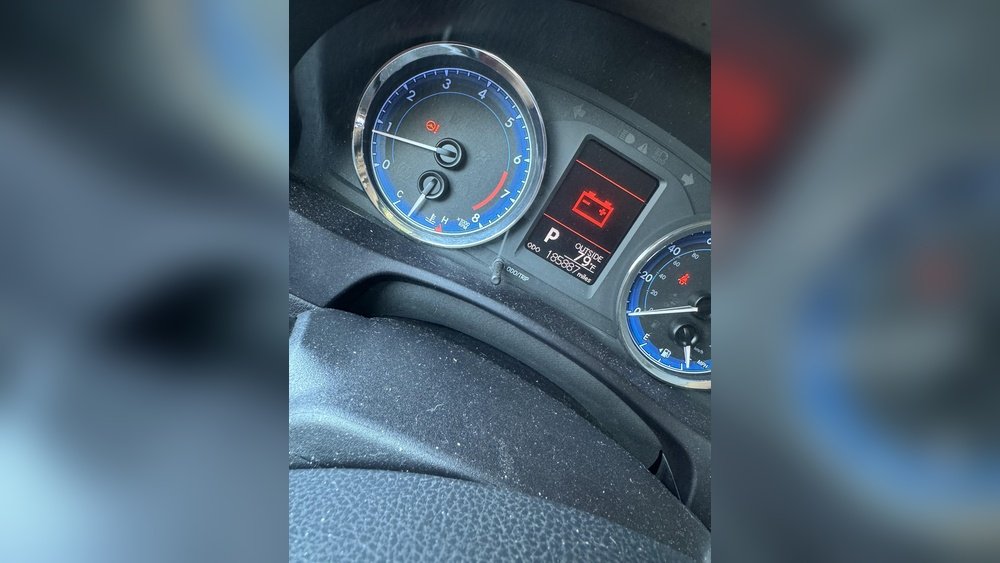
If you drive a Toyota Corolla, you might see the battery light turn on your dashboard at some point. This small warning light can cause a lot of worry, especially if you don’t know what it means or how to fix it. The battery light signals a problem with your car’s charging system—not just the battery. Sometimes, after fixing the issue, the light stays on. Learning how to reset the battery light on your Toyota Corolla is a simple but important step to keep your car running safely.
This article explains, step by step, how to reset the battery light, what causes the light to come on, and what you should check before and after resetting. Everything is written for beginners, with clear language, examples, and tables to help you feel confident about solving the problem.
What Does The Battery Light Mean?
When the battery light comes on, it usually means your car’s charging system is not working properly. This system includes the battery, the alternator, and wires that connect everything. The battery light can mean:
- The battery is not charging.
- The alternator is failing.
- There are problems with the wires or connections.
Most of the time, the light will come on when you start the engine but should quickly turn off. If it stays on while driving, you should not ignore it.
Common Causes Of The Battery Light
Before you reset the battery light, it’s important to know what can trigger it. Here are the main causes:
- Bad battery – Old or weak batteries can’t hold a charge.
- Faulty alternator – The alternator charges the battery while the engine runs. If it fails, the battery can’t recharge.
- Loose or corroded battery terminals – Dirty or loose terminals block electricity flow.
- Broken or loose alternator belt – The belt powers the alternator. If it slips or breaks, the alternator stops working.
- Blown fuse – Some Corollas have a fuse for the charging system.
- Wiring problems – Damaged wires or connectors in the charging system.
- ECU or sensor problems – Sometimes, the engine control unit or battery sensor gives a false warning.
If you reset the light without fixing the main problem, it will come back.
How To Check Your Toyota Corolla Before Resetting
Before you reset the battery light, check these things to avoid bigger problems:
- Battery age – Most car batteries last 3-5 years. If your battery is older, replace it.
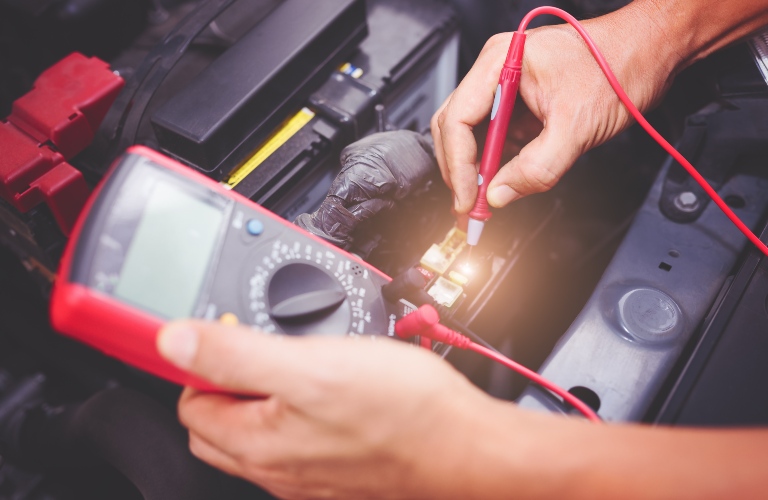
- Alternator output – Use a multimeter to measure voltage at the battery with the engine running. It should be 13.7–14.7 volts.
- Battery terminals – Clean and tighten them.
- Alternator belt – Make sure it’s not loose or broken.
- Fuses – Check the fuse box under the hood for blown fuses.
- Wiring – Look for visible damage or loose plugs.
If you are not sure, ask a mechanic for help.
Step-by-step: How To Reset Battery Light On Toyota Corolla
Resetting the battery light is simple if the problem is solved. There are a few ways to do it:
1. Disconnect The Battery
This is the most common method.
- Turn off the car and remove the key.
- Open the hood and find the battery.
- Use a wrench to loosen the negative (-) battery terminal.
- Remove the cable and wait for 10–15 minutes.
- Reconnect the cable and tighten it.
- Start the engine. The battery light should be off.
This resets the car’s computer and clears the warning.
2. Use An Obd2 Scanner
If disconnecting the battery doesn’t work, use a diagnostic scanner.
- Plug the OBD2 scanner into the port under the dashboard.
- Turn the ignition to “ON.”
- Follow the scanner instructions to read codes.
- If you see a charging system code, clear it.
- Turn off the ignition, wait a minute, then restart the car.
Many auto shops will scan your car for free.
3. Cycle The Ignition
Sometimes, simply turning the ignition on and off can reset the light.
- Turn the key to “ON” (without starting the engine).
- Wait for 10 seconds.
- Turn the key off.
- Repeat this 2–3 times.
- Start the engine and check the light.
This works if the light was triggered by a temporary issue.
4. Check For Hidden Issues
If the light stays on, there may be a deeper issue. In this case:
- Inspect all charging system parts again.
- Use a scanner to check for codes.
- Visit a mechanic if you can’t find the problem.
Credit: www.baierltoyota.com
Data: Toyota Corolla Battery System By Year
Here’s a quick look at the charging system specifications for recent Toyota Corolla models:
| Year | Battery Voltage | Alternator Output | Battery Type |
|---|---|---|---|
| 2010-2013 | 12V | 90–100 Amps | Lead-Acid |
| 2014-2018 | 12V | 100–120 Amps | Lead-Acid |
| 2019-2023 | 12V | 120–140 Amps | AGM/Lead-Acid |
Always use the correct battery type and alternator for your Corolla’s model year.
Key Tools And Supplies
You don’t need many tools to reset the battery light, but these items make the job easier:
- Wrench or socket set (for battery terminals)
- Multimeter (to test voltage)
- OBD2 scanner (to read/clear codes)
- Gloves and safety glasses (for protection)
- Wire brush (to clean terminals)
Buying a basic OBD2 scanner costs $25–$50 and can help diagnose many car problems.

Credit: www.youtube.com
Important Safety Tips
Working with car batteries is usually safe, but mistakes can be dangerous. Always:
- Turn off the engine before touching the battery.
- Wear gloves to protect your hands.
- Don’t let metal tools touch both battery posts at once.
- If you smell rotten eggs (battery acid), step back and get help.
- Wash your hands after working with the battery.
Most beginners forget to check the battery type or size. Using the wrong battery can bring back the warning light and damage your car.
What If The Battery Light Comes Back?
If you reset the battery light but it returns soon, this means the real problem is not fixed. Try these steps:
- Test the battery and alternator again. Even new batteries can fail.
- Inspect the alternator belt for cracks or wear.
- Check for loose or corroded connectors.
- Look for blown fuses in the engine compartment.
- Scan for error codes with an OBD2 tool.
Some Toyota Corolla models have a “smart” charging system controlled by the engine control unit (ECU). If the ECU or related sensors fail, the light can come back even if the battery and alternator are fine.
Table: Common Battery Light Causes And Solutions
Here is a table to help you match common battery light causes with their solutions:
| Problem | How to Fix | Reset Needed? |
|---|---|---|
| Dead battery | Replace battery | Yes |
| Bad alternator | Replace alternator | Yes |
| Loose terminals | Tighten/clean terminals | Yes |
| Blown fuse | Replace fuse | Yes |
| Wiring issue | Repair/replace wires | Yes |
| ECU error | Scan and reset codes | Yes |
Real-world Example
Imagine you have a 2017 Toyota Corolla. The battery light comes on while driving. You check the battery—it’s 5 years old. You replace it, but the light stays on. Next, you check the alternator output with a multimeter; it reads 12.
1 volts with the engine running (too low). You replace the alternator. After this, you disconnect the battery for 15 minutes, reconnect, and the light is gone. This example shows how important it is to fix the real problem before resetting the warning.
Myths And Mistakes To Avoid
Many beginners believe resetting the battery light will fix everything. This is not true. If you do not solve the real issue, the light will return, and you could damage your car. Other common mistakes include:
- Using the wrong size battery.
- Forgetting to tighten battery terminals.
- Not checking the alternator belt.
- Ignoring the light and driving too far.
Always fix the cause before resetting the light.
When To See A Mechanic
If you try all steps and the light stays on, it’s time to see a professional. Mechanics have special tools to:
- Test the charging system fully.
- Check the ECU for hidden errors.
- Replace complicated parts.
A mechanic visit costs $100–$200 for diagnosis, but it can save you from bigger repairs.

Credit: www.youtube.com
Table: Diy Reset Vs Mechanic Reset
Here’s a quick comparison to help decide if you should try it yourself or go to a shop:
| DIY Reset | Mechanic Reset |
|---|---|
| Free or very low cost | $100–$200 |
| Takes 10–30 minutes | Takes 1–2 hours |
| Requires simple tools | Advanced diagnostic tools |
| Good for basic problems | Best for complex issues |
| Risk of missing deeper issues | Complete system check |
If you are not confident, a mechanic is the safest choice.
Frequently Asked Questions
Why Does The Battery Light Stay On After Changing The Battery?
The light usually stays on because the alternator or a related part is still faulty. Sometimes, the car’s computer needs to be reset with a scanner or by disconnecting the battery.
Is It Safe To Drive With The Battery Light On?
It is not safe for long. Your car may run for a short time, but once the battery is empty, the engine will stop. You could get stuck or damage electronics.
How Long Does It Take To Reset The Battery Light?
Most resets take 10–15 minutes if you know what to do. It can take longer if you need to fix other problems.
Can A Low Battery Cause The Battery Light?
Yes. A weak or old battery can trigger the light, especially in cold weather. But the light can also mean problems with the alternator or wiring.
Where Can I Find More Help For Toyota Corolla Battery Problems?
The official Toyota Owners site has guides and support for all models. Visit Toyota Owners for more information.
Resetting the battery light on a Toyota Corolla is not difficult if you follow the right steps and fix the real problem first. By checking the battery, alternator, wiring, and using the right tools, you can solve the issue safely.
If in doubt, a professional mechanic can provide expert help. Take care of your Corolla, and it will stay reliable for many years.