How Much Does Acuralink Cost? Pricing Breakdown for 2026
How Much Does Acuralink Cost
Car technology is changing fast. Many drivers now want more than just a way to get from point A to point B. They want their car to be smart, safe, and connected. Acuralink is Acura’s answer to this. It’s a set of connected services that turn your car into a high-tech companion. But before you sign up, it’s smart to ask: How much does Acuralink cost?
This guide will break down everything you need to know about Acuralink pricing. Whether you just bought a new Acura, or you’re thinking about adding features to your current car, you’ll find easy answers here. We’ll cover the different plans, what you get for your money, and tips for saving money.
You’ll also see how Acuralink compares to other car brands’ connected services.
What Is Acuralink?
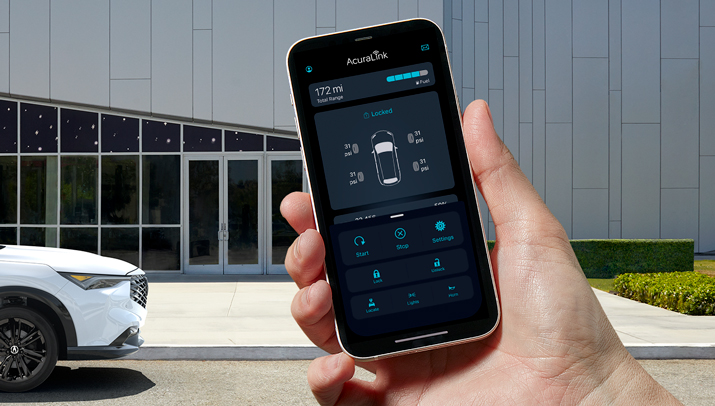
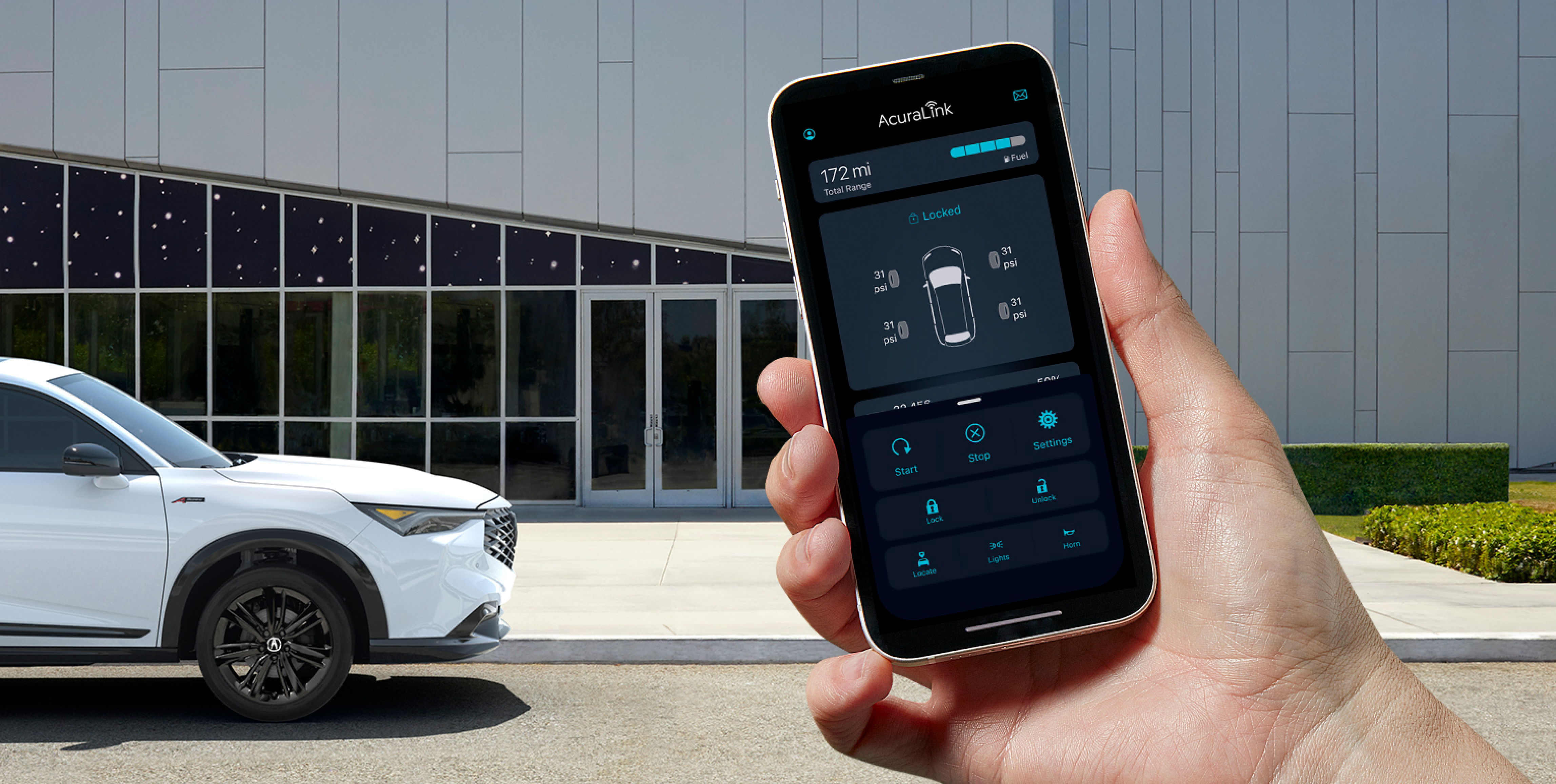
Acuralink is a suite of digital tools and services for Acura vehicles. It connects your car to your smartphone and the internet. With Acuralink, you can lock or unlock your car from far away, check your car’s health, and even get help in an emergency.
Some features are free with your car, but most advanced options require a paid subscription. The cost depends on which plan you choose.
Acuralink Pricing Plans
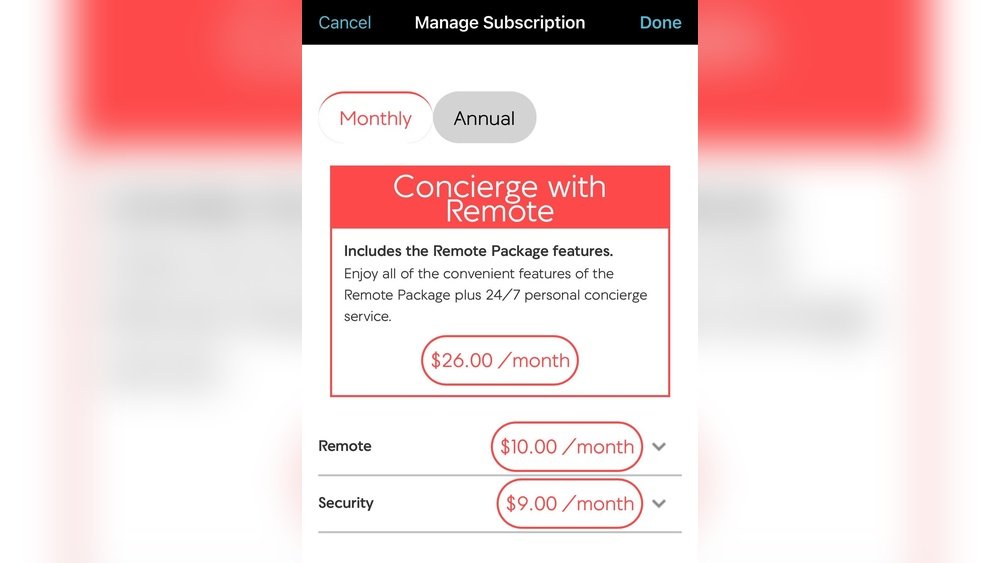
Acuralink offers several service packages. Each package comes with its own price and set of features. Here’s a clear look at the main plans available for most Acura models in the US.
| Plan Name | Monthly Cost | Annual Cost | Key Features |
|---|---|---|---|
| Security | $8.00 | $89.00 | Emergency call, Roadside assistance, Automatic collision notification |
| Remote | $12.00 | $110.00 | Remote start, Lock/unlock, Find my car, Stolen vehicle locator |
| Concierge | $29.00 | $260.00 | Personal assistant, In-vehicle reservations, Advanced navigation |
Note: Prices can change depending on your location, model year, and dealership offers.
Free Trial
Most new Acura vehicles come with a free trial of Acuralink services. The length of the trial can vary:
- Security and Remote: Usually 6 months free
- Concierge: Often 3 months free
After the trial, you must subscribe to keep using the advanced features.
What Do You Get With Each Plan?
Each Acuralink plan is designed for different needs. Here’s a closer look at what you get for your money.
Security Plan
This plan focuses on safety and emergency help.
- Automatic collision notification: If your car is in a crash, help is sent automatically.
- Emergency call (SOS): Push a button in your car to get live help right away.
- Roadside assistance: Connects you to help if your car breaks down.
- Theft alarm notification: Get alerts if someone tries to break into your car.
Who should get it? Drivers who want peace of mind about safety.
Remote Plan
This plan adds more convenience using your smartphone.
- Remote start and stop: Start your car from anywhere, great for hot or cold days.
- Remote lock/unlock: Forgot to lock your car? Do it with your phone.
- Find my car: See your car’s location on a map.
- Stolen vehicle locator: Helps police find your car if it’s stolen.
Who should get it? Anyone who likes tech and wants more control over their car.
Concierge Plan
This is the top plan, made for those who want luxury and personal service.
- Personal assistant: Get help booking hotels, dinner, or finding attractions.
- In-vehicle reservations: Make reservations from your car.
- Advanced navigation: Get live directions and traffic info.
- All features from Security and Remote plans.
Who should get it? Frequent travelers or anyone who wants a hands-free lifestyle.
Which Acura Models Have Acuralink?
Most modern Acura vehicles can use Acuralink, but features and prices can differ. Popular models with Acuralink include:
- Acura MDX (2014 and newer)
- Acura RDX (2014 and newer)
- Acura TLX (2015 and newer)
- Acura ILX (2016 and newer)
- Acura RLX (2014 and newer)
- Acura NSX (2017 and newer)
Not all features are available on every car. Always check with your dealer for the latest details.
Comparing Acuralink With Other Brands
How does Acuralink pricing stack up against other car brands? Let’s compare it to similar services from Lexus and BMW.
| Brand | Basic Plan | Remote Plan | Premium/Concierge Plan |
|---|---|---|---|
| Acura (Acuralink) | $8/mo | $12/mo | $29/mo |
| Lexus (Enform) | $8/mo | $16/mo | $25/mo |
| BMW (ConnectedDrive) | $10/mo | $15/mo | $30/mo |
Insight: Acuralink’s prices are in the middle of the pack. It’s usually cheaper than BMW, but can be more expensive than Lexus for some plans.
What Affects The Cost Of Acuralink?
The final cost of Acuralink for your car can change based on:
- Your vehicle’s year and model: Some older cars have fewer features or different pricing.
- Location: Taxes and fees can change by state.
- Dealer promotions: Sometimes, dealers offer extra free months or discounts.
- Bundling: You may save money by paying yearly instead of monthly.

Credit: www.reddit.com
Is Acuralink Worth The Price?
Many drivers wonder if they really need a paid car service. Here are some things to think about before you decide:
- How often will you use remote features? If you rarely use your phone to control your car, you might not need the Remote plan.
- Do you value safety? The Security plan can bring peace of mind, especially if you drive alone or in new places.
- Is live help important to you? The Concierge plan is for those who want a personal assistant on the road.
Two insights beginners miss:
- You can often renew only the plan you like most (for example, just Security), instead of paying for all features.
- Some insurance companies may give you a discount if your car has certain Acuralink safety features.
How To Subscribe Or Cancel Acuralink
Getting started with Acuralink is simple. Here’s how:
- Download the Acuralink app from the App Store or Google Play.
- Create an account using your car’s VIN (Vehicle Identification Number).
- Choose your plan and enter payment information.
- Activate features and follow in-app instructions.
If you want to stop your subscription:
- Go to the app or call Acura customer service.
- Cancel anytime, but you may not get a refund for a partially used month.
Credit: mygarage.honda.com
Tips To Save Money On Acuralink
You don’t have to pay full price every time. Here are ways to save:
- Try the free trial first. See if you really use the features.
- Pay yearly instead of monthly. Annual plans are usually cheaper per month.
- Ask your dealer for deals. New car buyers sometimes get extra months free.
- Check for loyalty offers. Acura sometimes sends discounts to returning customers.
Real-world Example: Acuralink Costs For Acura Mdx
Suppose you bought a 2023 Acura MDX. Here’s what your first year of Acuralink might look like:
- 6 months free Security and Remote trial.
- After trial: $110/year for Remote, $89/year for Security, or $260/year for Concierge (including all features).
- You can pay through the app, and renew only the services you want.
This flexibility means you’re never locked into a plan you don’t use.
Credit: mygarage.honda.com
Common Buyer Mistakes
Beginners often make these errors with Acuralink:
- Forgetting to use the free trial. Many drivers pay right away, missing out on months of free service.
- Not checking which features their car supports. Older models may not have all the options.
- Overpaying for unused features. You don’t need to buy all plans—choose only what you’ll use.
- Not comparing annual vs. monthly prices. Annual payments save money over time.
How Acuralink Improves Your Daily Life
Why do drivers stick with Acuralink? Here’s what real owners say:
- “I love starting my car from my apartment in winter.”
- “The emergency help gave me peace of mind when my teen started driving.”
- “I found my car in a crowded stadium parking lot using the app.”
These small conveniences can make a big difference, especially if you rely on your car every day.
Are There Any Extra Fees?
Most Acuralink fees are clear, but there are a few things to watch for:
- Taxes and local fees may add a few dollars to your bill.
- Some features need a working smartphone and data plan.
- If you sell your car, you must cancel or transfer your subscription.
Final Thoughts
Acuralink makes your Acura smarter, safer, and more helpful. For most drivers, the cost is reasonable compared to other luxury brands. The best plan for you depends on your lifestyle and how much you’ll use the services.
Always try the free trial first, and don’t be afraid to ask your dealer for special offers. With the right plan, Acuralink can be a smart upgrade to your driving experience.
If you want more official details, check the Acura Owner’s Site.
Frequently Asked Questions
How Do I Activate Acuralink On My Acura?
Download the Acuralink app, create an account, and enter your vehicle’s VIN. Follow the in-app steps to activate your trial or paid subscription.
Is Acuralink Available On All Acura Models?
No, only newer models (usually 2014 and later) support Acuralink. Check with your dealer to confirm which features your car has.
Can I Cancel Acuralink Anytime?
Yes. You can cancel through the app or by calling Acura support. Some refunds may not be available for partial months.
Are There Hidden Fees With Acuralink?
Most fees are upfront, but local taxes and some data use may add small extra costs.
Is Acuralink Worth It For Used Acura Cars?
It can be. If your used Acura supports Acuralink, you can still subscribe and use the features. Always check what’s available on your model before buying a plan.