How to Install Apple Carplay on Toyota: Step-by-Step Guide
Getting Apple CarPlay in your Toyota can change the way you drive. With CarPlay, you can use your iPhone safely while driving: make calls, play music, get directions, and more—all through your car’s touchscreen. Many Toyota drivers want CarPlay but aren’t sure how to add it. Some Toyotas come with it built in, but others require upgrades. This guide shows you every option, step-by-step, so you can enjoy CarPlay on your Toyota, even if your car didn’t come with it from the factory.
Understanding Apple Carplay
Apple CarPlay is a smart system from Apple that connects your iPhone to your car’s dashboard. You can use apps, maps, messages, and calls without touching your phone. Toyota started offering CarPlay in 2019 models, but many older cars don’t have it. If your Toyota is from before 2019, you’ll need to install CarPlay yourself.
CarPlay works best with:
- IPhone 5 or newer
- IOS 7.1 or later
- A compatible car stereo or head unit
If you’re not sure about your Toyota’s compatibility, check your owner’s manual or Toyota’s official website. Some models may need software updates or hardware changes.
Checking Your Toyota For Carplay Compatibility
Before buying anything, find out if your Toyota supports CarPlay or can be upgraded.
Factory Carplay Availability
Toyota started adding CarPlay to many models in 2019. Here are some popular models with built-in CarPlay:
| Model | Year CarPlay Introduced | Trim Levels |
|---|---|---|
| Camry | 2019 | LE, SE, XLE, XSE |
| Corolla | 2020 | All trims |
| RAV4 | 2019 | LE, XLE, Limited |
| Highlander | 2020 | All trims |
| Tacoma | 2020 | SR, SR5, TRD |
If your Toyota is newer than 2019, you probably have CarPlay already. For older models, keep reading.
Checking Your Current System
Turn on your car, plug your iPhone into the USB port, and look at the screen. If CarPlay appears, you’re set. If not, your car might need a software update or a hardware upgrade. Some Toyotas can get CarPlay with a dealer-installed update, but others need a whole new stereo.

Credit: www.youtube.com
Ways To Install Apple Carplay On Toyota
There are three main ways to get CarPlay in a Toyota:
- Software Update at the dealer
- Aftermarket CarPlay head unit
- Wireless CarPlay adapter
Each method has pros and cons. Let’s look at each option in detail.
1. Dealer Software Update
Some Toyotas (especially 2018–2019 models) can get CarPlay through a dealer software update.
How It Works
Toyota dealers can update your car’s multimedia system. This update adds CarPlay and Android Auto. The process usually takes 1–2 hours.
Which Models Qualify
| Model | Eligible Years | Update Cost |
|---|---|---|
| Camry | 2018-2019 | $150–$200 |
| Sienna | 2018–2019 | $150–$250 |
| Corolla | 2018–2019 | $150–$200 |
Prices depend on the dealer and your location.
Steps For Software Update
- Call your local Toyota dealer.
- Ask if your model can get CarPlay added.
- Book a service appointment.
- Bring your car in and wait for the update.
- Test CarPlay with your iPhone before leaving.
Many people forget to check for updates. Even if your car doesn’t show CarPlay now, it could be eligible. Always ask your dealer—they may have new options.
2. Installing An Aftermarket Carplay Head Unit
If your Toyota is too old for a software update, you can install a new CarPlay-compatible head unit. This is the part of your dashboard with the screen and controls.
Choosing The Right Head Unit
Look for these features:
- CarPlay support (wired or wireless)
- Screen size that fits your Toyota
- Good sound quality
- Easy controls
Popular brands include Pioneer, Kenwood, Sony, and Alpine.
| Brand | Model | CarPlay Type | Price Range |
|---|---|---|---|
| Pioneer | AVH-W4500NEX | Wireless | $500–$700 |
| Kenwood | DMX7706S | Wired | $350–$500 |
| Sony | XAV-AX100 | Wired | $300–$400 |
| Alpine | iLX-107 | Wireless | $600–$800 |
Installation Steps
- Measure your dashboard opening (most Toyotas use a “double-DIN” size).
- Buy a head unit and a Toyota-specific wiring kit.
- Remove your old radio (use plastic tools to avoid damage).
- Connect the new head unit using the wiring kit.
- Install the head unit in your dashboard.
- Test CarPlay with your iPhone.
If you’re not comfortable with wiring, ask a car audio shop for help. Professional installation costs $100–$200.
Common Mistakes
- Buying the wrong size head unit for your car
- Forgetting the wiring kit
- Not updating the head unit’s software
- Skipping microphone installation (voice control needs a mic)
Many beginners overlook wiring kits—these make installation much easier and safer.
3. Wireless Carplay Adapter
If your Toyota has a wired CarPlay, you can use a wireless adapter to avoid plugging in your phone every time. These adapters connect to your car’s USB port and create a wireless link.
How Wireless Adapters Work
Plug the adapter into your car’s USB port. Pair your iPhone with the adapter through Bluetooth. Now, CarPlay starts automatically when you enter your car.
Popular Wireless Adapters
- Carlinkit
- Ottocast
- Motorola MA1
Prices range from $80 to $150.
Installation Steps
- Plug the adapter into your Toyota’s CarPlay USB port.
- Pair your iPhone via Bluetooth.
- Follow on-screen instructions.
- Enjoy wireless CarPlay.
Wireless adapters don’t work if your car doesn’t have CarPlay already. They only make it wireless.
Installing Apple Carplay: Step-by-step Guide
Here’s how to install CarPlay, whether you’re upgrading at the dealer, adding a new head unit, or using an adapter.
Step 1: Check Your Toyota’s Compatibility
- Look for CarPlay in your car’s menu.
- Check Toyota’s website for updates.
- Ask your dealer about upgrades.
Step 2: Choose Your Upgrade Method
- Software update (if eligible)
- New head unit (for older cars)
- Wireless adapter (for cars with wired CarPlay)
Step 3: Gather Necessary Tools And Equipment
- Head unit (if needed)
- Wiring kit
- Plastic trim removal tools
- Screwdrivers
- Wireless adapter (optional)
Step 4: Install And Test
- Follow instructions for your chosen method.
- Carefully connect all wires.
- Mount the head unit securely.
- Plug in your iPhone and test CarPlay.
Pro tip: Always test CarPlay before finishing installation. This helps you fix problems early.
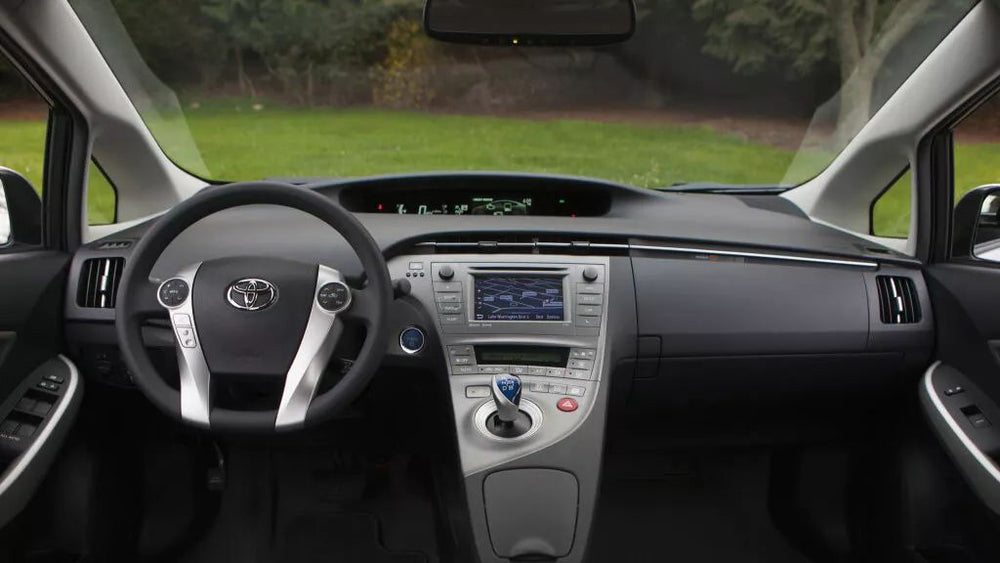
Credit: autokitcarplay.com
Practical Tips For A Smooth Installation
Read instructions: Each head unit and adapter has its own steps. Don’t skip the manual.
Backup your settings: If you’re changing your head unit, write down your radio presets and Bluetooth settings. You’ll need to set them up again.
Update software: After installation, check for firmware updates. Updated software fixes bugs and adds features.
Install the microphone: Many head units need an external microphone for voice control. Place it near your steering wheel for best results.
Ask for help: If you’re unsure, get help from a professional installer.
Cost Breakdown And Comparison
Installing CarPlay can cost as little as $150 or as much as $900, depending on your method.
| Upgrade Method | Typical Cost | Installation Difficulty | Best For |
|---|---|---|---|
| Dealer Software Update | $150–$250 | Easy | 2018–2019 Toyotas |
| Aftermarket Head Unit | $300–$900 | Medium–Hard | Older Toyotas |
| Wireless Adapter | $80–$150 | Very Easy | Cars with wired CarPlay |
Head units cost more but give you new features like better sound and a bigger screen. Wireless adapters are cheap and easy, but only for cars with CarPlay already.
Common Problems And Solutions
Problem: CarPlay doesn’t appear after installation.
Solution: Check all wires. Update the head unit’s software. Restart your car and iPhone.
Problem: Touchscreen doesn’t respond.
Solution: Make sure the head unit fits your dashboard. Tighten all mounting screws.
Problem: No sound or microphone issues.
Solution: Check audio connections. Install the microphone close to the driver.
Problem: Wireless adapter won’t connect.
Solution: Pair your phone again. Check for adapter firmware updates.
Many beginners forget to update their devices. Always check for software updates after installation.
Real-world Examples
Sarah owns a 2017 Toyota Camry. She wanted CarPlay but her car didn’t have it. She chose a Kenwood DMX7706S head unit. After a 3-hour installation, she can now use CarPlay for maps, music, and calls. Her total cost was $400, including installation.
Mike’s 2020 RAV4 had wired CarPlay. He added a Carlinkit wireless adapter for $100. Now, CarPlay starts automatically—no more plugging in his phone.

Credit: www.youtube.com
Safety And Legal Considerations
CarPlay helps drivers stay focused on the road. You can use voice commands, so your hands stay on the wheel. In the US, distracted driving causes over 3,000 deaths each year. Using CarPlay is safer than using your phone directly.
Some states have laws about phone use in cars. CarPlay meets legal requirements for hands-free use. Still, always drive carefully and don’t let CarPlay distract you.
Additional Resources
If you want more details or need technical support, visit Toyota’s official CarPlay info at Toyota Audio Multimedia.
Frequently Asked Questions
How Do I Know If My Toyota Has Apple Carplay?
Plug your iPhone into your car’s USB port. If CarPlay appears on your screen, you have it. If not, check your owner’s manual or ask your dealer.
Can I Add Carplay To An Older Toyota?
Yes. If your car is from 2018–2019, some dealers offer software updates. For older models, you can install an aftermarket CarPlay head unit.
Is Wireless Carplay Possible In A Toyota?
Yes. Some newer Toyotas have wireless CarPlay. For cars with wired CarPlay, you can use a wireless adapter.
How Much Does It Cost To Install Carplay?
Dealer software updates cost $150–$250. Aftermarket head units cost $300–$900. Wireless adapters cost $80–$150.
Will Installing Carplay Void My Warranty?
Dealer software updates do not affect your warranty. Aftermarket head units may void parts of your warranty. Always ask your dealer before making changes.
Getting Apple CarPlay on your Toyota is easier than you think. Whether you use a dealer update, install a new head unit, or add a wireless adapter, you can enjoy safer, smarter driving. Take your time, choose the best method for your car, and don’t hesitate to ask for help if needed.
With CarPlay, every drive becomes more connected and enjoyable.